
You wake up with a sore throat two days before your G2 test, or your manager shifts your schedule and the only car you were planning to use is suddenly unavailable. That's the moment you start searching for Ontario driving test cancellation rules, usually while you're already stressed and worried about losing a booking you waited weeks to get.
The hard part is that DriveTest doesn't treat every cancellation the same. The 48-hour cutoff can protect you from losing your prepaid fee if you act early enough, but once you miss that window, the financial and scheduling fallout gets real fast. Ontario's testing system is large enough that cancellations are part of everyday life, not a rare exception, so the goal is simple, move quickly, keep proof, and avoid the traps that cost people time and money.
Why Ontario Driving Test Cancellations Happen and What Is at Stake
A learner books a road test, blocks off the day, and starts planning around it. Then the car throws a warning light, a shift changes at work, or an illness makes the appointment a bad idea. That is the moment cancellation rules matter, because the wrong move can cost both the booking and the fee.
Ontario's backlog made that risk harder to ignore. CBC reported that road test cancellations climbed from about 39,000 since late December 2020 to nearly 400,000 by mid-2021, with more than half in the Greater Toronto Area, before later ministry figures pushed the total to approximately 421,827 cancellations since March 2020 (CBC). That scale shows the problem was never just one busy office. It affected new drivers, newcomers, and workers who depended on a licence to get to work.
Why the 48-hour rule matters first
DriveTest also ran a huge testing operation, with 1.34 million road tests and 1.17 million knowledge tests in 2022 (CBC). With that much volume, timing becomes the part that decides whether you protect your money or lose it, and the rule that matters most is the 48-hour deadline.
Practical rule: if your schedule is unstable, check the booking as soon as the problem appears, not the night before.
People get caught by waiting. They hope they will feel better, or that the car issue will sort itself out, and the cancellation window closes while they are still trying to make it work. If there is any chance the test needs to move, act right away and keep your options open, especially when your licence timeline is tight. If the issue is not just timing and you need help sorting out a test-day dispute, keep a guide on handling unfair driving test outcomes in Ontario nearby.
How to Cancel Your Road Test Online Through DriveTest
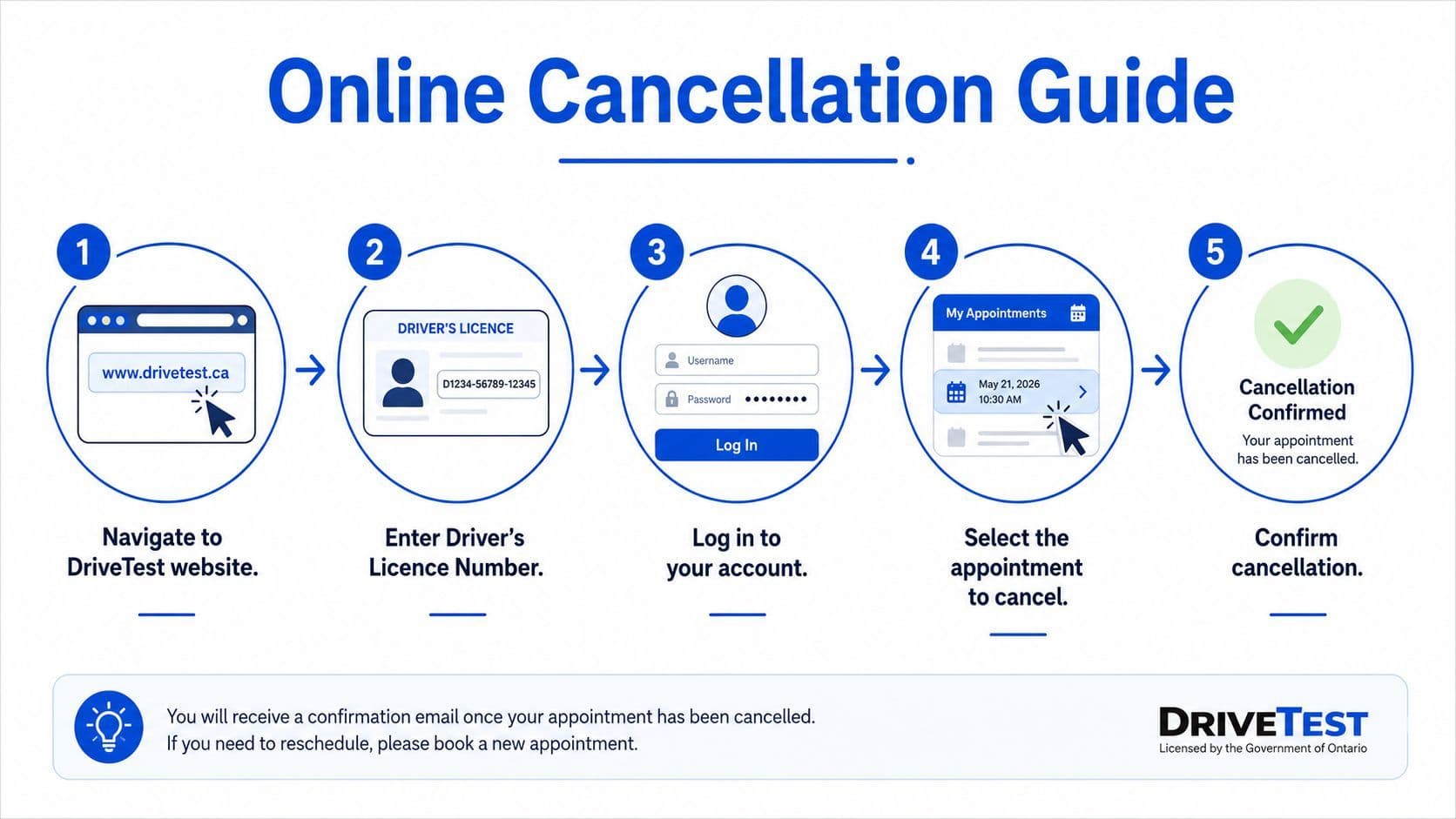
The online route is the fastest way to handle an Ontario driving test cancellation when the system is working normally. DriveTest's help page says the official flow starts with your driver's licence number and expiry date, then moves through the “Edit an Existing Road Test” screen, where you can cancel or reschedule the appointment (DriveTest help page). That's the process to try first, because it's direct and leaves a digital trail.
Before you start, make sure you have the exact licence details in front of you. A lot of errors happen because people rely on memory instead of the card, especially if they've recently renewed or changed addresses.
A clean way to avoid online mistakes
Start on the DriveTest booking site, sign in with the details attached to the booking, and open the appointment you want to change. From there, choose the cancel option or move straight into rescheduling if you already know the new date you want. If the site kicks you out, it's usually because the session expired or the booking details were entered incorrectly.
Keep your confirmation number and take a screenshot of the final cancellation page. If the portal ever fails to update properly, that image becomes your proof.
A browser issue can also trip people up. If the booking doesn't load, try a different device or browser before assuming the appointment is gone. If the system doesn't recognise your booking reference, don't keep guessing at the fields, go back, verify the licence number and expiry date again, then retry the official flow.
For people who want to compare the cancellation steps with a fresh booking workflow, the closest companion guide is Ontario driving test appointment booking. That helps when you're trying to understand where the appointment lives in the system before you remove it.
Cancelling by Phone or In Person When Online Is Not an Option
Sometimes the website won't cooperate, and sometimes the booking is already in a restricted state. A known pain point is repeated changes, where community users report that after several cancel and reschedule actions, online edits can become locked and the person has to move to a DriveTest Centre or phone support. That detail shows up in discussion threads more clearly than in official guidance, but the underlying issue is familiar to anyone who works with anxious learners, once the booking becomes unstable, a human fallback matters.
When the portal stops working, prepare before you call. Have your licence number, expiry date, appointment date, and any proof tied to your reason for cancelling ready in front of you. That saves time if the agent asks you to confirm details or explain why the booking needs to move.
What to do when the online path fails
Phone support is the right next step if the booking is locked, the page won't load, or the site keeps timing out. If you're going in person, bring your licence and whatever documentation supports the change, especially if you're asking for an exception tied to illness, family emergency, or work demands.
If your situation is time-sensitive, don't spend all morning refreshing the page. Move to the next available channel and keep a record of who you spoke to and when.
A DriveTest centre can also be the safer route if you've already hit the point where the online system won't let you make another change. That's especially relevant for new drivers and newcomers who may already be juggling vehicle access, bad weather, and shifting work schedules. If you've reached that point, the priority is no longer convenience, it's getting a clean cancellation record before the fee window closes.
For readers checking price implications while they sort out a cancellation, this related explainer is useful, Ontario driving test price and fee basics.
Understanding the 48-Hour Fee Rule and Available Exceptions
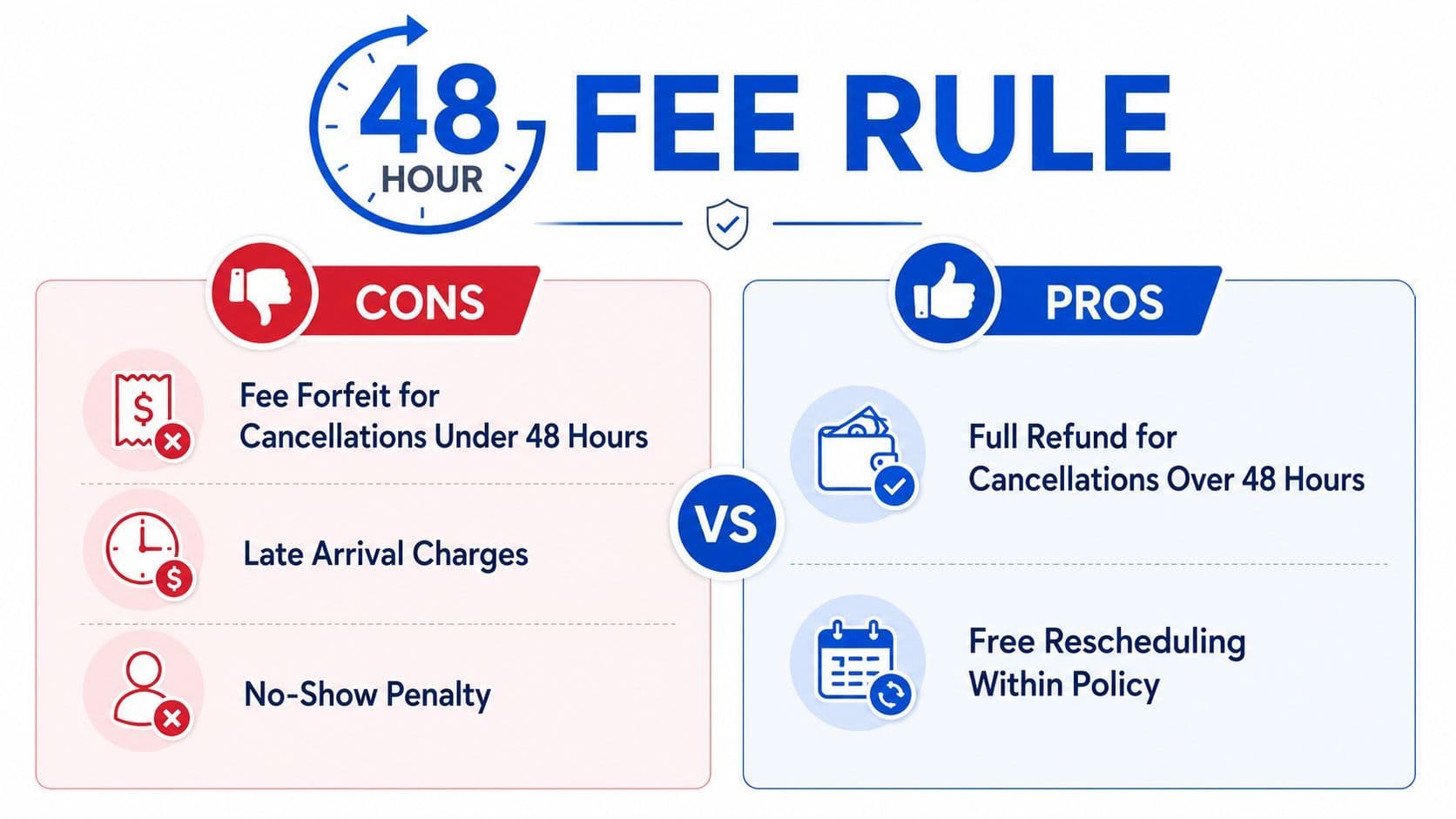
The part that trips people up most is the fee cutoff. DriveTest says that if you cancel within 48 hours of the appointment, arrive late, or do not show up, you lose your pre-paid road test fee (DriveTest payments, cancellations and refunds). The Ontario government driver handbook says the same thing in plain language, if you cancel or reschedule with less than 48 hours' notice, or you do not attend, your prepaid road-test fee will not be refunded (Ontario driver handbook).
That cutoff changes how every booking should be handled. If there is even a real chance you need to move the test, cancel early enough to stay outside the fee window. Waiting until the day before is not careful planning, it is a costly gamble.
When an exception can protect your fee
DriveTest lists narrow exceptions, including hazardous weather, illness, death in the immediate family, jury duty, incarceration, and verified unscheduled work demands (DriveTest payments, cancellations and refunds). The handbook also notes an extenuating circumstance such as death in your immediate family, where the fee can remain as a credit on your driving record rather than disappearing (Ontario driver handbook).
The key word is verified. If you are asking for a refund or credit under an exception, keep the proof that matches the reason. That could mean medical documentation for illness, a jury summons, or employer confirmation for unscheduled work demands. The cleaner your record, the easier it is to show that the cancellation was not a choice.
DriveTest's policy is narrow, so do not assume every difficult day qualifies. Bad timing alone usually is not enough. If your situation does not fit the listed grounds, the safest expectation is that the fee is at risk once the 48-hour window closes. For readers checking the money side while sorting out a cancellation, this related explainer on Ontario driving test price and fee basics helps put the stakes in context.
Rebooking Your Test and Using the Delay to Prepare
Once the cancellation is done, the next problem is getting back on the calendar without losing momentum. Rebooking fast matters because the longer you wait, the more likely you are to settle for a date that doesn't fit your schedule or your confidence level. A lot of drivers treat the delay as wasted time, but it can work in your favour if you use it properly.
The best habit is to book the new date immediately after cancelling, then set a reminder for the next 48-hour decision point. That keeps you from drifting into the same last-minute panic a second time. If you know your schedule is unstable, build a buffer around the new appointment from day one.
Use the gap to tighten weak spots
A cancellation often exposes a weak spot in the preparation plan. Maybe you were shaky on right-of-way, maybe parallel parking still feels rushed, or maybe test anxiety hit harder than expected. A targeted study reset works better than random review, because it focuses your limited practice time on the errors that matter.
Don't just wait for the next appointment. Use the extra time to fix the part of your driving that would have cost you points.
That's where structured practice helps. A diagnostic-style review makes weak areas obvious, then you can spend your next round of practice with purpose instead of guessing. If the original booking slipped because you were underprepared, the delay can become the part that finally turns the test from a gamble into a plan.
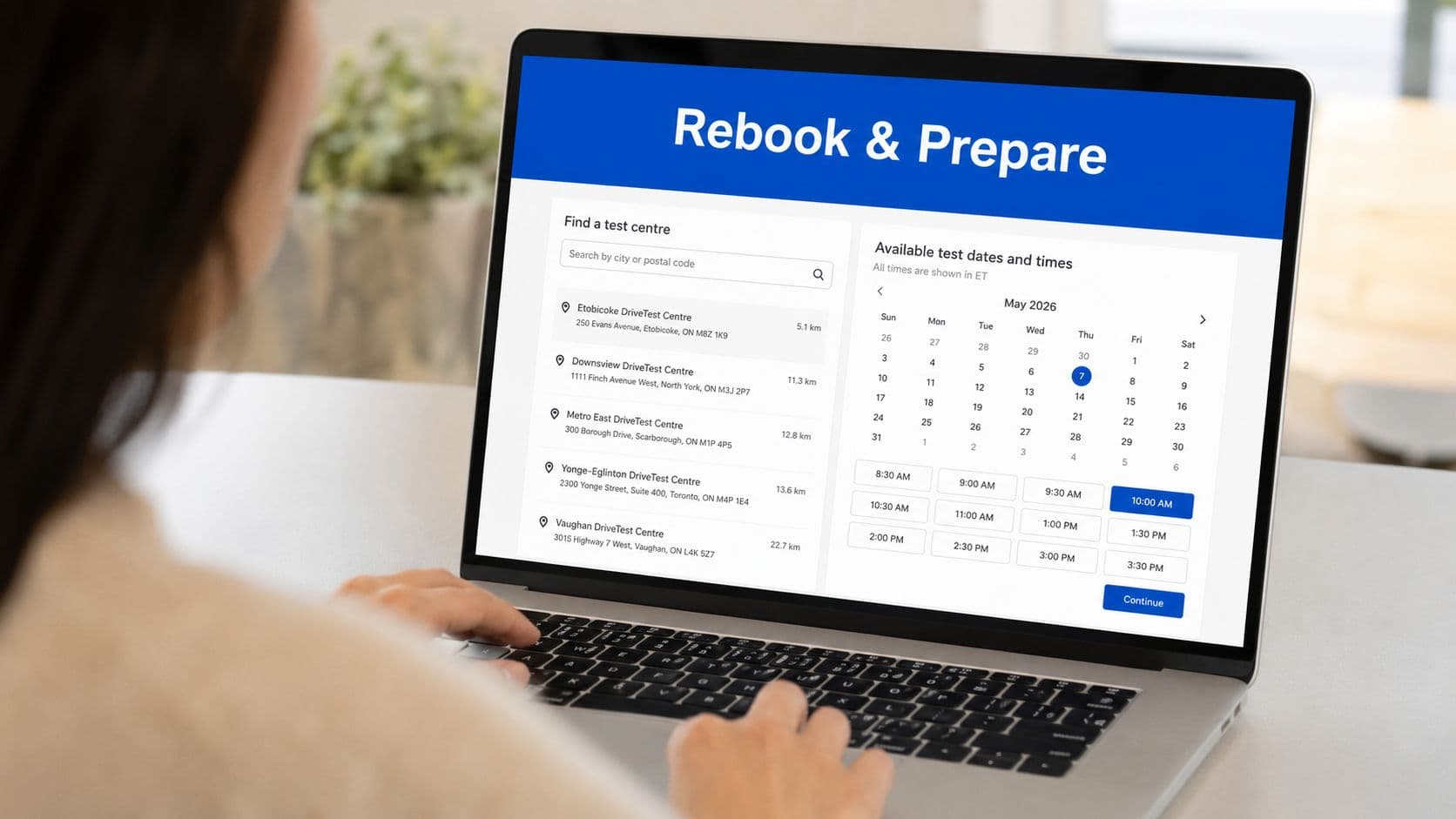
The practical win here is simple. Rebook quickly, study more deliberately, and go into the next appointment with fewer unknowns than you had the first time.
Your Cancellation Action Checklist and Key Takeaways
When you decide to cancel, move in order and don't improvise.
- Check the 48-hour window. If you're inside it, assume the fee is at risk unless a listed exception applies.
- Use the right channel. Try DriveTest online first, then switch to phone or in person if the booking is locked or the system won't cooperate.
- Gather proof early. Keep medical notes, summonses, employer documents, or other records if your reason fits an exception.
- Save confirmation. Screenshot the cancellation screen and store the reference number.
- Rebook right away. Don't let the cancellation drag into a second delay.
- Reset your study plan. Use the extra time to practise the areas that felt shaky on test day.
The main takeaway is straightforward. The 48-hour rule is the fee cliff, online cancellation is usually the fastest option, and exceptions only help when you can document them properly. Handle the booking quickly, keep records, and treat every cancellation as a cue to rebook before momentum disappears.
If you want a practical next step after handling your Ontario driving test cancellation, visit G1ready.ca for free Ontario G1 practice exams, diagnostic testing, and clear feedback that helps you spot weak areas before your next test. It's a useful way to turn a cancelled appointment into better preparation, so you're not walking back into the same gaps twice.


