
You're usually looking up update driver's license because something changed fast. You moved. Your card is close to expiring. Your wallet disappeared. Or you've changed your name and need your licence to match the rest of your ID.
That's where people often get stuck. The Ontario process isn't one single update. It's a group of different pathways, and the right one depends on what exactly changed. Some updates are simple and can be done online. Others need documents checked in person. A few situations, like medical reviews or exchanging an out-of-province or international licence, have extra rules that catch people off guard.
This guide is meant to be the plain-language version many wish they had initially.
Why and When to Update Your Ontario Licence
Most licence updates fall into four buckets. Address change, renewal, replacement, and identity change. If you know which bucket you're in, the process gets much easier.
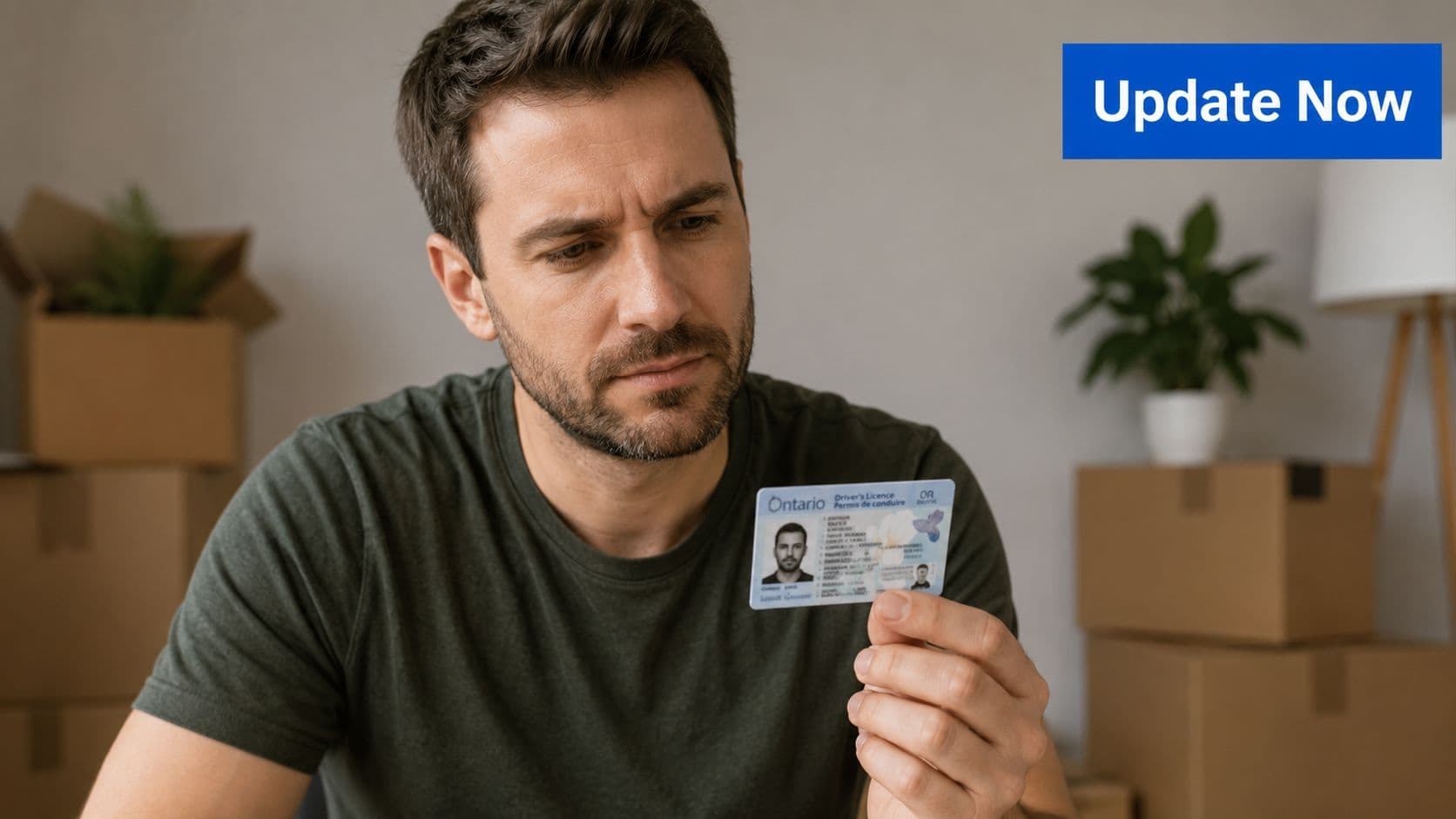
If you've moved, your priority is getting the address on file corrected. If your card is expiring, you need a renewal. If the card is missing, damaged, or stolen, you're dealing with a replacement. If your legal name changed, that usually means an in-person identity update with supporting documents.
The easiest mistake is assuming every update driver's license request works the same way. It doesn't. Some people start an online session only to realise they need to visit a ServiceOntario centre because of the type of change, their document history, or photo requirements.
A quick way to sort your situation:
- You moved recently. Start with an address update.
- Your card is near expiry or already expired. Check whether you can renew online.
- Your licence is lost or damaged. Prepare for a replacement process.
- Your name, identity details, or supporting ID changed. Expect to go in person.
- You've been asked for medical information or you're exchanging another licence. Treat it as a separate, more detailed file.
Practical rule: Bring your problem down to one sentence before you start. “I moved.” “My licence expired.” “My name changed.” That tells you which process to follow and what documents to gather.
Ontario drivers aren't dealing with a small system. Licensing systems matter at scale, and changes to how credentials are managed have broader implications. In the U.S., governments in more than a dozen states were offering mobile driver's licences, with at least 4.5 million people enrolled, which was about 7% of the eligible population in those participating states, according to Government Technology's data dive on mobile driver's licence adoption. That shift is a reminder that a driver's licence is no longer just a plastic card. It's increasingly part of a wider identity system, which is why updates and verification rules can feel strict.
Online Updates for Address Changes and Renewals
If your update fits an online pathway, use it. It's usually the cleanest option for routine changes because you can complete it in one sitting if your information matches what the system expects.
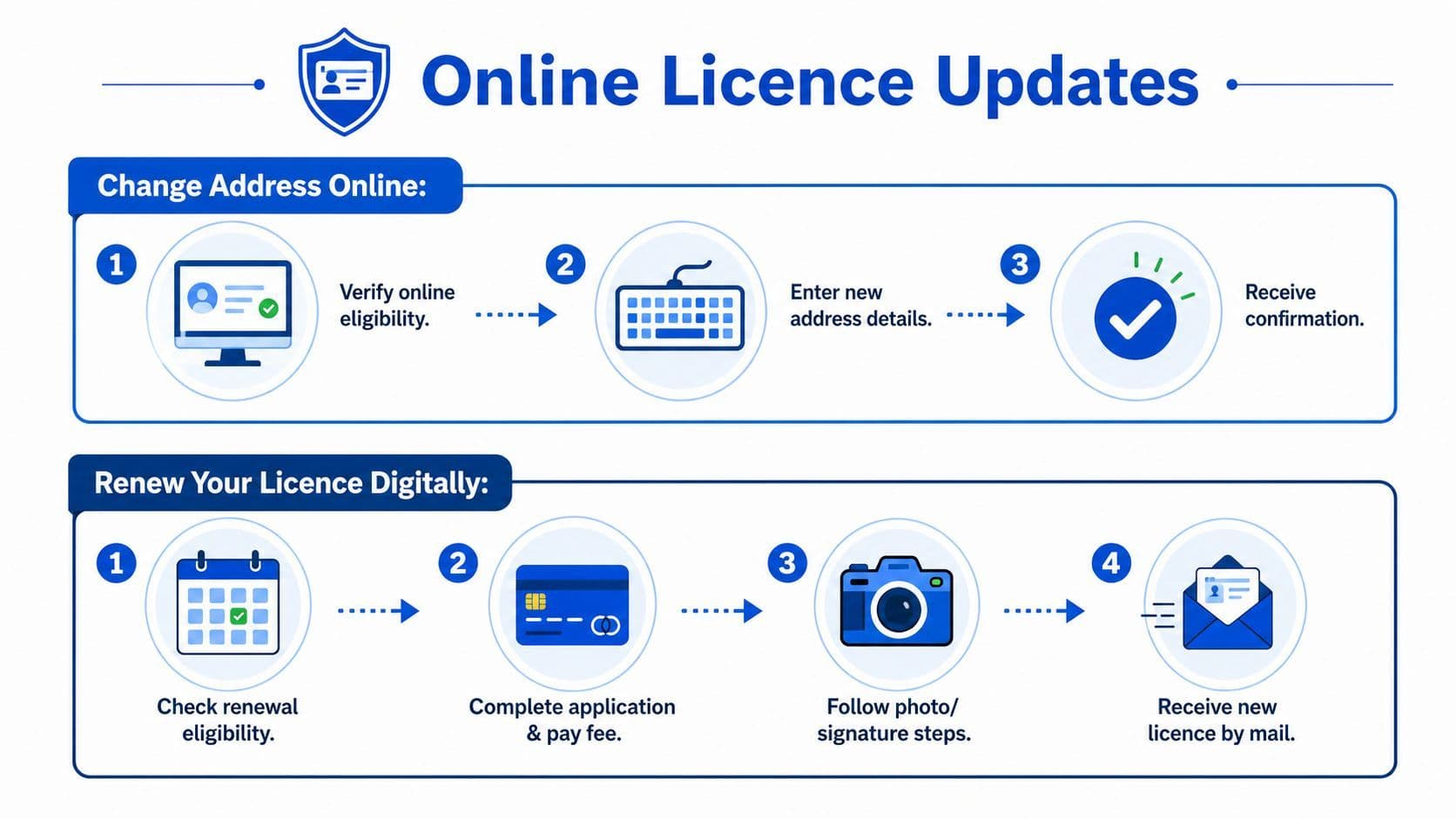
Before you start, have your current licence beside you. Don't rely on memory for card numbers, postal codes, or issue details. Most failed online attempts happen because people rush through fields, mistype a number, or use an address format that doesn't match their record.
Changing your address
For an address update, the smartest approach is to prepare first, then complete the change in one go.
A simple pre-check helps:
- Current licence details: Have the card in hand.
- New residential address: Use the exact address you want on file.
- Mailing details: Make sure your mail can be delivered there reliably.
- Time to review everything: Don't submit while multitasking.
Address changes are usually straightforward, but they can still go sideways if your profile has another issue attached to it, such as a pending renewal, identity mismatch, or a record that requires office review. When that happens, the system may stop you and push you toward an in-person visit.
One habit that works well is reading the full confirmation screen before closing the session. People often assume the update went through because they reached the last page. What matters is the actual confirmation.
If the system accepts your address update, save or print the confirmation right away. Don't assume you'll remember the reference details later.
For many drivers, this is the fastest way to handle a move. It also reduces the risk of missing licence-related mail because your old address stayed on file longer than you thought.
Later in the process, it helps to see the steps visually:
Renewing your licence
Renewals are where people often expect a simple payment screen and nothing else. In reality, eligibility matters.
A useful reference point comes from California's renewal system. The California DMV says drivers must complete the online application or use the DMV renewal notice, pay the nonrefundable application fee, and pass any required knowledge tests if their notice says they're needed. The DMV allows three attempts to pass each required knowledge test, and some notices require an in-person visit for a thumbprint scan and photo capture, as outlined on the California DMV licence renewal page. The lesson for Ontario drivers is simple. Renewal is not always just payment. Eligibility, identity checks, and test or photo requirements can create friction.
When you renew online, prepare like this:
- Check whether you're eligible first. If your renewal requires a new photo or identity review, online may not work.
- Read your notice carefully. If there are special instructions, follow those rather than guessing.
- Complete the payment step only after reviewing your details. A typo can create a follow-up headache.
- Keep proof of renewal. Save the confirmation page or receipt.
Renewals are easiest when nothing else has changed. If you're trying to renew and update multiple personal details at the same time, it often becomes more efficient to handle everything at a ServiceOntario centre rather than forcing an online path that keeps failing.
A few things usually do not work well:
- Using an outdated browser session: Start fresh if the portal freezes or times out.
- Guessing at required information: If you're unsure, stop and verify before submitting.
- Leaving the task half-finished: Come back only when you have all your details ready.
In-Person Updates at a ServiceOntario Centre
Some licence changes need a staff member to verify your identity, review original documents, or issue replacement paperwork. That's normal. It doesn't mean something is wrong with your file. It usually means the update affects the legal integrity of the credential.
When a visit is the right path
In-person service is usually the right route when you're changing your name, replacing a lost or stolen card, dealing with a damaged card that needs reissue, or handling a situation where your photo or identity documents need review.
This is also where many people save time by doing one thing right before they leave home. They gather originals, not screenshots or photocopies, unless the specific process says otherwise.
If you need help finding a convenient office, use the Ontario G1 test locations guide to get oriented around locations that may be relevant to your planning.
In-Person ServiceOntario Update Requirements
Update Type Key Documents Required Typical Fee (2026) Online Appointment Possible? Name change Current licence plus original legal name change document and supporting ID Check current ServiceOntario fee schedule before visiting In many cases, yes Lost or stolen card Proof of identity and any details that help staff locate your record Check current ServiceOntario fee schedule before visiting Often available Damaged card replacement Current damaged card if available, plus ID if requested Check current ServiceOntario fee schedule before visiting Often available Renewal requiring office processing Renewal notice if you have it, current licence, any requested supporting documents Check current ServiceOntario fee schedule before visiting Often available Photo or identity-related update Current licence and original identity documents connected to the change Check current ServiceOntario fee schedule before visiting Often available
The safest advice on fees is to verify them directly before you go. Fee schedules can change, and the amount can depend on the exact transaction.
What to expect at the counter
For a name change, bring the legal document that supports the change and make sure the name is consistent across your documents. The biggest delay here is mismatch. Different spellings, missing middle names, or documents in different names can trigger extra review.
For a lost or stolen licence, report it and replace it as soon as you can. Don't wait until you need photo ID for something urgent. If you still have part of the card, or a record of the licence number, bring that information with you because it can help the staff locate your file faster.
For a damaged card, bring the damaged card if it's still readable. Staff often need to see what remains of it rather than hear a description of the damage.
Bring every document you think you might need, then add one more piece of ID if you have it. Most wasted trips happen because someone brought almost enough.
If you're updating identity-related information, expect the office to be less flexible than an online form. That's not bureaucracy for its own sake. Staff are protecting the integrity of the licence as government ID.
A useful comparison comes from outside Ontario. Texas recently expanded its Driving with Disability Program to add a deaf or hard-of-hearing designation on driver licences and ID cards, but enrolment still requires an in-person appointment, a physician or psychiatrist statement, and standard documentation, according to FOX 26 Houston's report on the Texas licence designation process. The practical takeaway is that disability-related, communication-related, and identity-related updates often aren't simple online edits. They usually involve a separate review path.
A few habits make office visits smoother:
- Go early if you can: First-hour visits tend to feel more predictable.
- Keep documents flat and organised: Don't hand over a stack and hope staff sort it out.
- Read the temporary document before leaving: If a detail is wrong, fix it immediately at the counter.
- Ask one clear closing question: “Is there anything else I need to do before the permanent card arrives?”
Handling Medical Reports and International Licence Exchanges
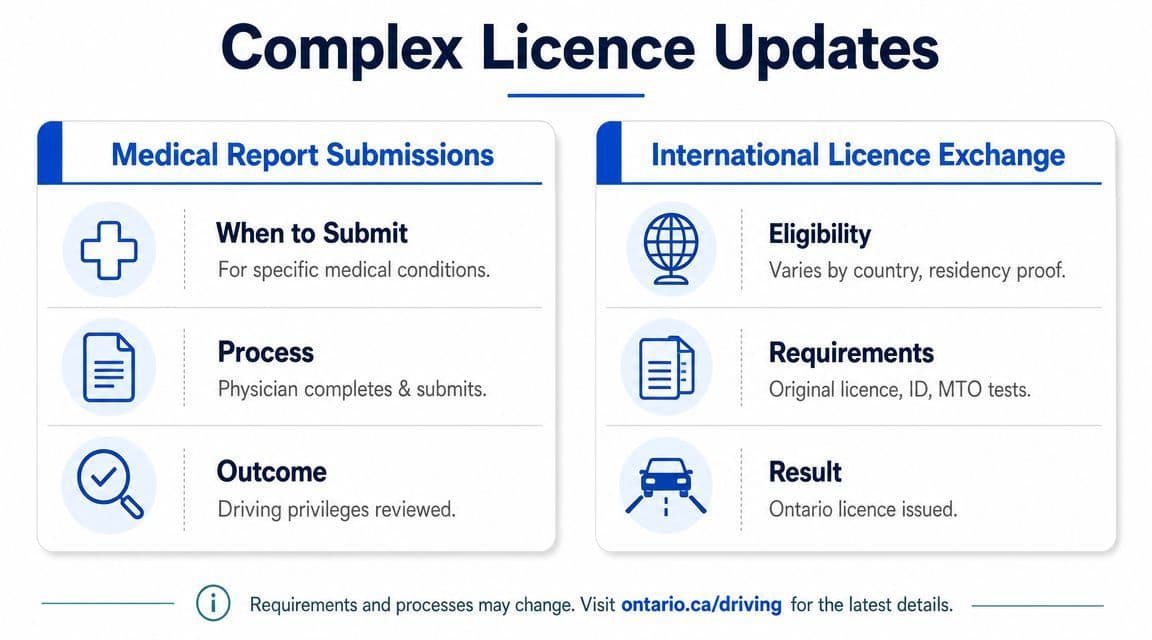
Some updates don't fit the normal “change a detail and move on” pattern. Medical reviews and licence exchanges are different because another authority is involved. A doctor may need to provide information. A previous licensing jurisdiction may need to be assessed. Your eligibility may depend on the documents you can prove, not just the licence you already hold.
Medical updates and fitness to drive reviews
Medical reporting is about safety. If a condition affects vision, cognition, seizure risk, consciousness, or physical control of the vehicle, the licensing authority may need updated medical information before your driving privileges stay the same.
The practical sequence is usually straightforward even if the experience feels stressful. A report is requested or required. A qualified medical professional completes the necessary information. The file is reviewed. Then the ministry decides whether you can continue as is, need restrictions, need further assessment, or need testing.
What works best is speed and completeness. Don't sit on the paperwork. Don't assume your doctor knows which exact form is needed without checking. And don't send partial material if the request clearly asks for a complete submission.
Important: A medical file is rarely improved by guesswork. If a form asks for physician input, wait for physician input.
If you've been told your licence status depends on a medical review, keep copies of everything you submit and note the submission date. That gives you a clean record if follow-up is needed.
Out-of-province and international exchanges
Licence exchange cases split into two broad groups. Jurisdictions with a recognised exchange path and jurisdictions where testing or additional verification is more likely.
If you're moving from another Canadian province or territory, the process is often more direct because the licensing framework is familiar and easier to compare. If you're arriving with an international licence, the path depends on where it was issued, whether there's a reciprocal arrangement, and whether your documents clearly prove your driving experience.
A practical way to consider:
- Reciprocal or more directly recognised jurisdictions: Expect a document-driven process, assuming your licence and identity documents are accepted.
- Non-reciprocal or less directly recognised jurisdictions: Expect more scrutiny, and be prepared for testing or experience verification requirements.
- Weak or incomplete documentation: Even if you are an experienced driver, poor records can force you into a less favourable pathway.
Newcomers often get frustrated at this stage. They focus on the licence card itself when the primary issue is the supporting proof around it. Original licence documents, identity documents, residency proof, and any acceptable driving history records matter just as much.
At a broader level, licensing systems carry huge scale, which helps explain why exchange and verification rules are handled carefully. The U.S. Department of Transportation maintains a long-running dataset of licensed drivers by state, sex, and age group through Transportation.gov's licensed drivers dataset. Hedges & Company also estimated there would be 242,412,000 licensed drivers in the U.S. in 2026, which it described as about 87% of Americans aged 16 and older and 91% of adults 18+ in that projection. Large systems tend to rely on strict verification rules because errors scale too.
Key Rules for G1 and G2 Novice Drivers
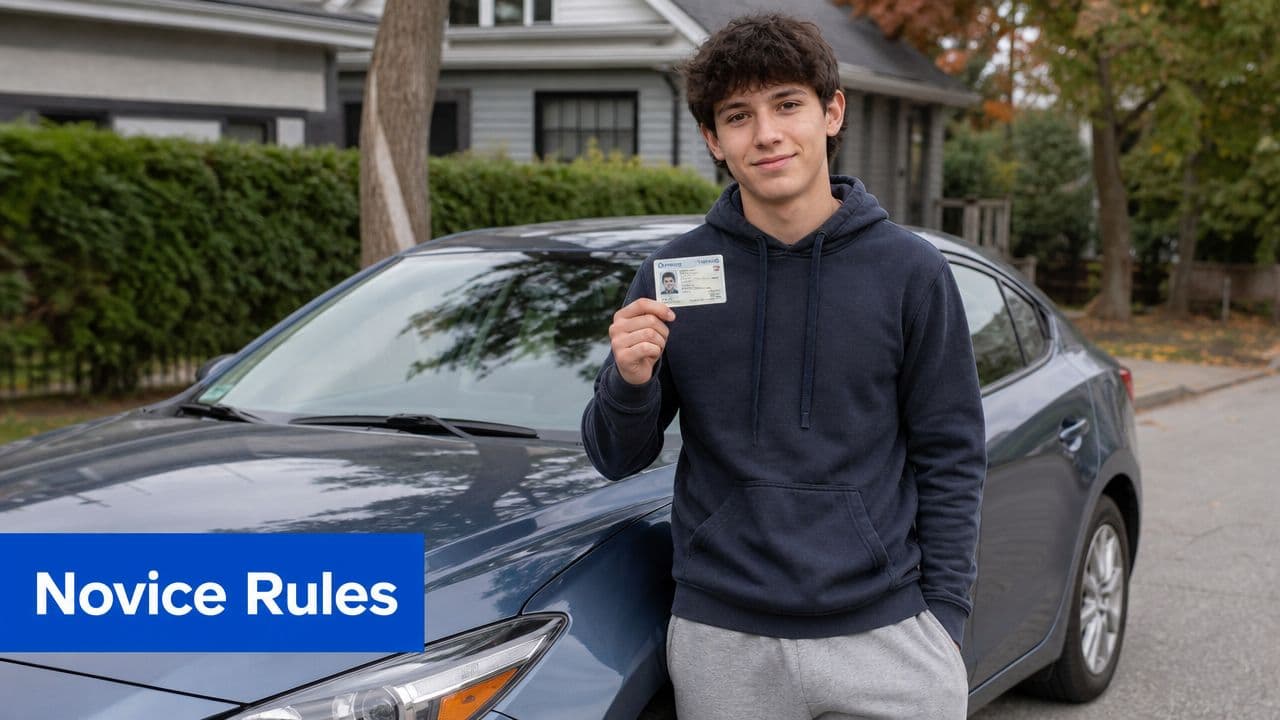
If you hold a G1 or G2, licence updates matter more than many people realise. Novice drivers don't have much room for administrative drift. A missed renewal, a stale address, or confusion about graduated licensing deadlines can create problems that are much harder to undo than a routine adult renewal.
What matters most for G1 holders
If your address changes while you have a G1, update it promptly. That keeps your record current and helps ensure you receive licence-related mail at the right place.
The bigger issue is time management inside the graduated system. If you're still learning how the stages work, this Ontario graduated licensing guide is a useful overview.
Novice-driver rule: Don't treat a G1 like a temporary card you can ignore until test day. It is an active licence record, and your personal information still needs to be current.
People often focus on studying for the next test and forget the administrative side. That's a mistake. If your details are wrong, fixing them late can interfere with booking, identification, or renewal tasks.
What matters most for G2 drivers
A G2 update driver's license request is often more urgent because G2 holders are closer to full licensing and more likely to be juggling work, school, and road test timing at the same time.
Keep two priorities in mind:
- Renewal timing: Don't let the card drift toward expiry without checking your options.
- Consistency of records: The name and address on your licence should match your current reality and supporting ID.
Missing a deadline in graduated licensing can be much more disruptive than people expect. If your novice licensing timeline runs out before you progress properly, you may have to repeat parts of the process instead of simply “updating” the card.
That's why it's worth handling address changes, renewals, and replacement cards early rather than when a road test or ID check is days away.
Troubleshooting Common Licence Update Issues
When people say the update process was “confusing,” they usually mean one of three things happened. The card didn't arrive. The online system failed. Or the temporary document went missing before the permanent one showed up.
What to do if your card does not arrive
First, check the address you provided. Most delays become obvious once the mailing address is reviewed carefully. Apartment numbers, unit formatting, and postal code errors are common culprits.
If your address was correct, contact ServiceOntario and have your identifying details ready before you call or visit. Keep any confirmation number or receipt from the update.
What to do if the online system rejects your update
Stop and identify whether the problem is technical or eligibility-related. A technical issue may clear with a new browser session or another attempt later. An eligibility issue usually won't.
If the rejection keeps happening, don't keep resubmitting the same information. Move to the official support path and, if needed, plan for an in-person visit. For common learner questions around licensing and testing, the G1ready FAQ page can also help you sort out what kind of issue you're dealing with.
What to do if you lose your temporary document
Act quickly. If you've already completed the update in person and then lose the temporary paper document, contact ServiceOntario for the next step rather than assuming the permanent card alone will solve the problem.
Keep a photo or scan of any temporary document for your own records if permitted. It won't replace the original, but it can make follow-up much easier.
The main rule across all of these situations is simple. Don't wait for the problem to sort itself out. Licence update issues usually get easier when handled early and harder when they collide with a driving test, travel plan, job verification, or police stop.
If you're getting ready for your G1 or helping someone through Ontario's licensing system, G1ready.ca is a practical place to study. It offers Ontario-focused G1 practice tests, clear explanations, and mobile-friendly prep that helps you build confidence before test day.


